
Year 1 Learning from Home Week 9 Term 3
Week beginning - 14 September 2020
Webex Essential Schedule
Below is a list of what we plan to do in our Webex Essential sessions:
Monday: Wellbeing - Window (Introducing)
Tuesday: Maths - Skip counting (Introducing)
Wednesday: Writing - Animal Information Report (Introducing)
Thursday: Reading - Jokes/ Make Us Laugh! (Reviewing)
Friday: Inquiry - Food Packaging Design (Reviewing)
Friday 11am Check In session - please bring a snack and wear your party clothes for our whole class end of Term celebration!
Work to be uploaded this week:
Inquiry - Food Packaging Design
Wellbeing
This task needs to be completed in your blue scrapbook with the date written at the top of the page.
Learning Intentions:
We are learning to notice the world around us
Task: This task will be introduced during Webex Essential on Monday
- Windows
After we have read and discussed the book ‘Windows’ together in Monday’s Webex Essential session, look outside a window or door at your house.
Maybe you have a favourite window that you like to look out? What do you see?
Draw your view in detail and write a caption to describe your picture.
Here is a picture of what Miss Marshall can see outside her window.

Resilience, Rights and Respectful Relationships - 'Personal Strengths'
Learning Intention:
We are learning to reflect what we did well and what we enjoyed this term
Task:
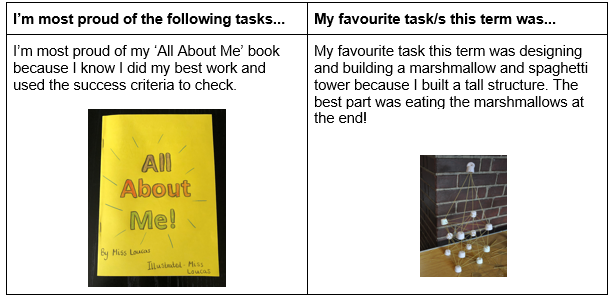
- Fill in the table below.
Write a sentence about something that you did well this term and your favourite task/s.
Draw a picture to a match.
Reading
These tasks need to be completed in your pink lined book with the date written at the top of the page.
Learning Intention:
We are learning to build our reading stamina by reading independently for 20 minutes every day
Task:
- It is really important that when we read we are able to concentrate on our book for a long time and not get distracted.
Find a quiet, comfortable place in your house to read a Just Right Book that has been assigned to you on
Bug Club or Epic! (including books you may have already read).
This should look just like independent reading at school and you should do it every day.
Record your reading stamina minutes in the graph below.
Compare your stamina to last week. Has it improved?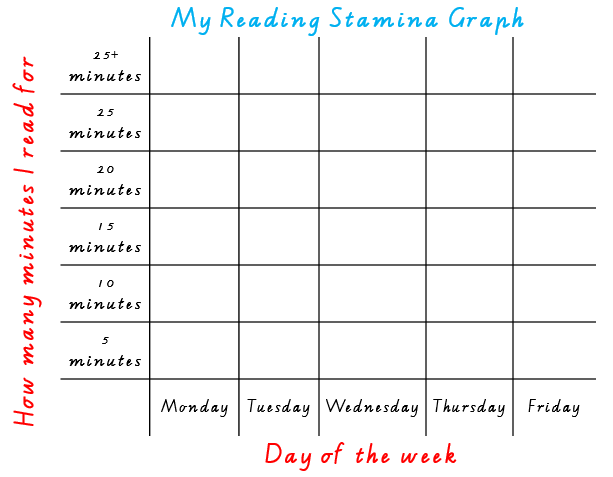
(20 minutes per day)
Learning Intentions:
We are learning to take away the initial sound of a word
We are learning to use our best handwriting
Task:
- This week for Phonological Awareness we are going to practise taking away sounds from words.
In the first box, there is a word and in the second box it tells you which sound to take away.
Say each word aloud to help yourself do this.
In the third box, write down the word that is left.
An example has been completed for you below.
Practise your best handwriting when recording the new word.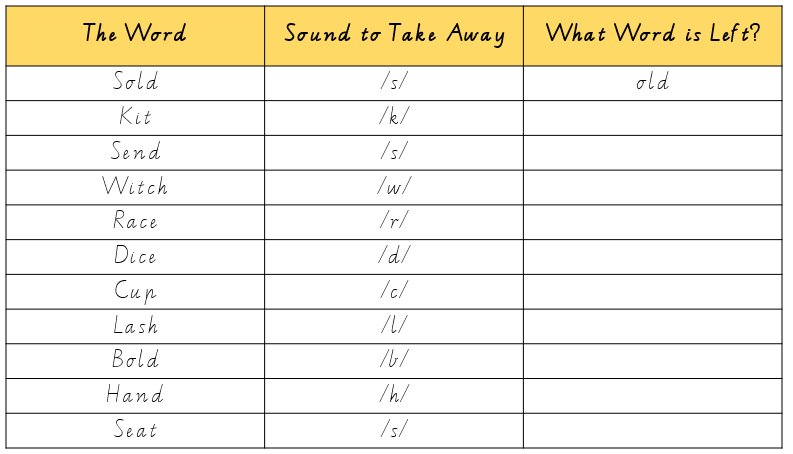
(30 minutes)
Learning Intention:
We are learning to read with fluency
Task: This task will be reviewed during Webex Essential on Thursday
- Jokes/ Make Us Laugh!
A collection of ‘Joke Books’ has been assigned to you on Epic!
Read through these books and select a joke that you will read fluently to your group on Thursday.
You will need to practise reading this joke aloud, focusing on the punctuation that has been used and pausing at the right times.
It would be a great idea to practise this joke multiple times.
The more you practise, the better it will be!
(10 minutes per day)
Learning Intention:
We are learning to read for enjoyment
Task:
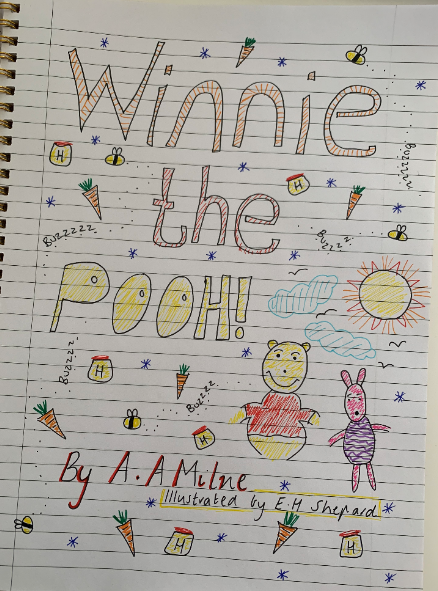
- Choose one of your favourite books that you have read this week.
When you have finished reading it, design a new front cover for it.
Remember to include the title, the author and illustrator.
An example has been completed for you below.
(30 minutes)
Learning Intention:
We are learning to keep a log of our daily reading
Task:
- Everyday when you read, you are expected to record what you have read, the pages you have read and the date you read in your yellow reading log.
If you don’t have one, you can record this at the back of your pink lined book.
(5 minutes)
Writing
These tasks need to be completed in your pink lined book with the date written at the top of the page.
Learning Intention:
We are learning to identify the different types of writing that we know (information reports, poetry, procedure, word splash, letters, recounts, stories and lists)
Task:
- Free choice writing.
You can choose to write an information report, a three-line poem, an acrostic poem, a procedure, a letter, a recount, a story or a list.
You can do this task more than once!
Don’t forget to create some illustrations to add meaning to your writing.
(30 minutes)
Learning Intention:
We are learning to publish a book about our chosen animal
Task: This task will be introduced during Webex Essential on Wednesday
- Animal Information Report
This week we are using our elaborated sentences and putting them together in the form of a book.
You can use some pages from your blue scrapbook if you don’t have any paper at home.
Fold the paper in half, using both sides (you will need about five pages).
Make sure you have enough paper for each page of your book.
You will need pages for each of these headings:
1 Front cover, including title, an author and an illustrator
2 Contents page
3 Appearance (what your animal looks like)
4 Diet (what your animal eats)
5 Habitat (where your animal lives)
6 Behaviour (what it does)
7 Labelled diagram
8 Interesting Facts
9 Back cover including a blurb
Challenge: You might like to include bolded words, a glossary or an index at the back of your book.
Spend time completing this task throughout the week so that you do your best work.
Please keep these so we can put them in our class libraries when we go back to school!
(40 minutes per day)
Maths
These tasks need to be completed in your blue scrapbook with the date written at the top of the page.
Learning Intention: (Fluency Task)
We are learning to play ‘Get Out of My House’
Task:
- Login to ClickView. Watch the video explaining how to play ‘Get Out of My House’.
To play this game, you will need a game board (pictured below), 2 dice and 7 counters of the same colour per player (each player will need a different colour. Use what you have around the house, for example buttons, blue tac or rip up some paper and make your own counters).
You can play this game with a partner or even with a toy.
Decide who goes first by playing rock, paper, scissors.
Roll the 2 dice and either add together or subtract the two numbers.
Place your counter on the answer.
You can put more than one counter on the same number square.
If your partner lands on a square that you are already on, they say “Excuse me, please get out of my house” and send your counters back to you.
If you forget to use your manners, you lose a turn!
The aim of this game is to get all of your counters on the board before your partner.
(10 minutes per day)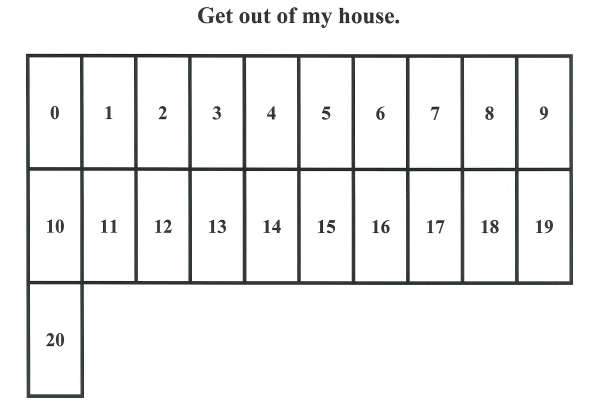
Learning Intention:
We are learning to skip count by 10s from a non zero starting point
Tasks: This task will be introduced during Webex Essential on Tuesday
- Skip Counting
Use your 200s number chart to help you practise skip counting by 10s.
Start from a non-zero starting point.
Try this at least 5 times starting from different 1- and 2-digit numbers (for example, you could start at 3, 7, 45, 68 or any other number).
What do you notice?
What happens to the tens column?
What happens to the ones column?
Record your findings in your blue scrapbook.
Challenge: Try this with a 3-digit number. See example below of skip counting by 10s starting at 24.
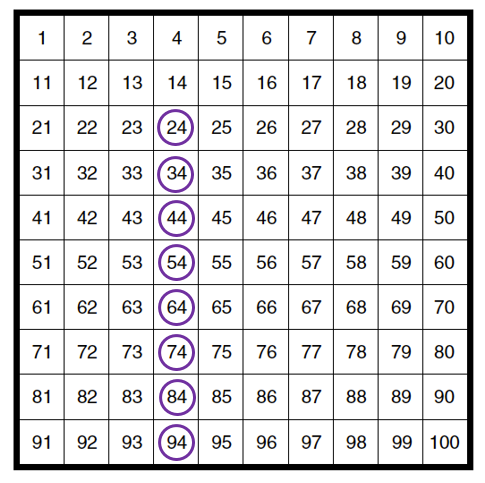
(30 minutes)
Learning Intention:
We are learning to add 10 as an addition strategy
Tasks:
- Adding 10 to a number is just like skip counting by 10s.
The number in the ones column always stays the same.
Using the number sentences/equations below, create four addition stories to match with pictures.
You might like to use your 200s chart to help you.
- 2 + 10 =
- 9 + 10 =
- 13 + 10 =
- 45 + 10 =
OR
- Create four addition stories of your own where you could use the ‘add 10 strategy’ and draw a picture to match.
See example below.
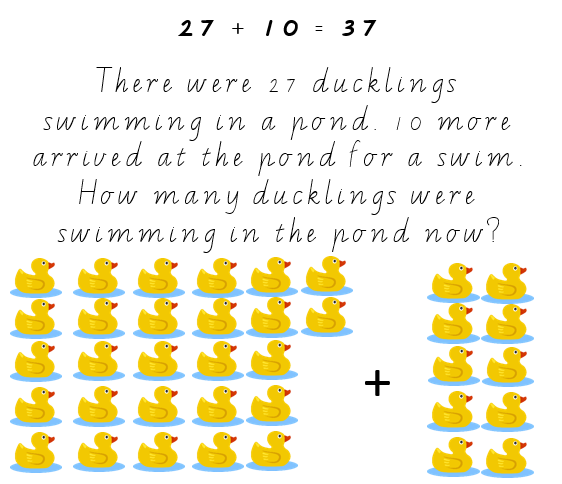
(50 minutes)
Learning Intention
We are learning to use 2D shapes and 3D objects to create a picture
Task:
- Using the 2D shapes and 3D objects we have learnt about, draw and label a colourful picture of a robot.
See example below.
You might even like to use recycled materials to build your robot (cardboard boxes, tissue boxes, polystyrene balls etc)
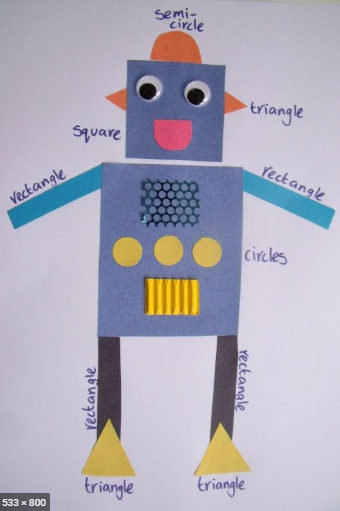
(40 minutes)
P.E./Movement Breaks
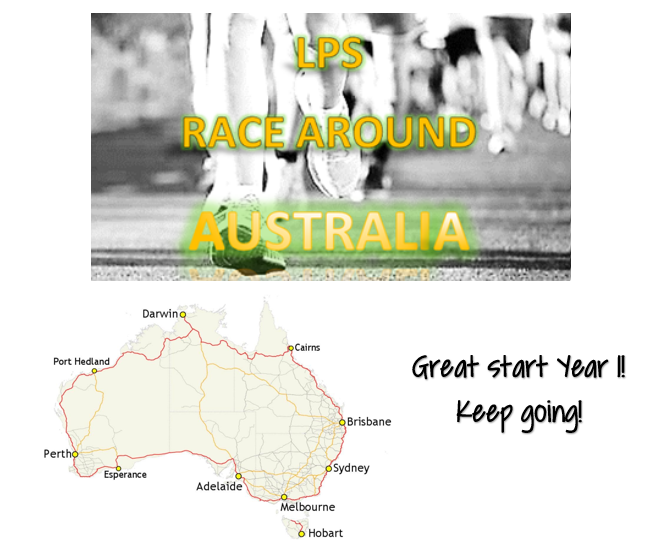
To view the Leader Board after the first week click here.
In case you forgot how it works…
- Keep track of how much time you spend being active from Monday to Friday each week
1 minute of any form of exercise = 1km
- Keep track of the type of activity you participate in from Monday to Friday each week
e.g. walking, running, skipping, bike riding
Click here to enter your results by 3pm Friday.
Remember to demonstrate the school value of integrity when entering your results.
For example, if you complete a total of 30 minutes exercise every day from Monday to Friday you will contribute 150 km! (30 x 5=150).
Bonus offer – the first 5 people who submit their results and have used a particular type of exercise (hint- two words _ _ _ _ _ _ _ _), we will double your result!
Good luck and remember every kilometre counts!!
Inquiry
Learning Intention
We are learning to design a new package for a food product of our choice
Task:
- Last week on ClickView, you watched students design and create packaging for cookies in the video ‘Food Containers’.
Please click here if want to watch this again.
You will be designing your own food packaging.
Before you make your package, it is important to plan your design. You can use the design brief below.
In your design brief, you should include:- A title
- An explanation about your design.
- A labelled drawing of your design
- The materials that you need
- The equipment that you need
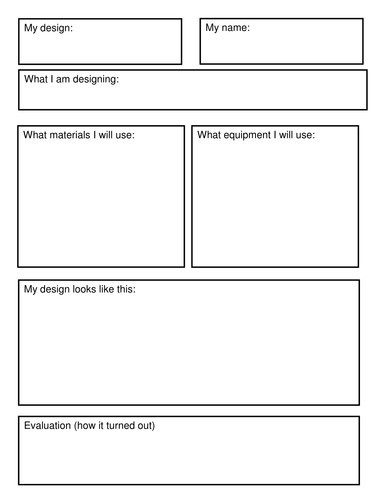
If you would like, use your design brief to create your food packaging.
Success Criteria
- My design brief included a title and explanation
- My design brief included a labelled diagram
- My design brief included a list of materials and equipment that I need
Please ask a parent to take a photo of your design brief and send it to your teacher through the Sentral Parent Portal by Thursday afternoon. Feedback will be provided during Friday’s Webex Check in session.
Click here for the other Specialist options.
© Copyright Laburnum Primary School